Risk scoring
An application was submitted but the risk score says "not calculated"
There are a few possible causes. Please check the following:
- Is Risk Scoring enabled on your instance? If it is, you will see Score Cards in the left menu. Risk scoring is enabled by our team; contact your account manager if you don't see it.
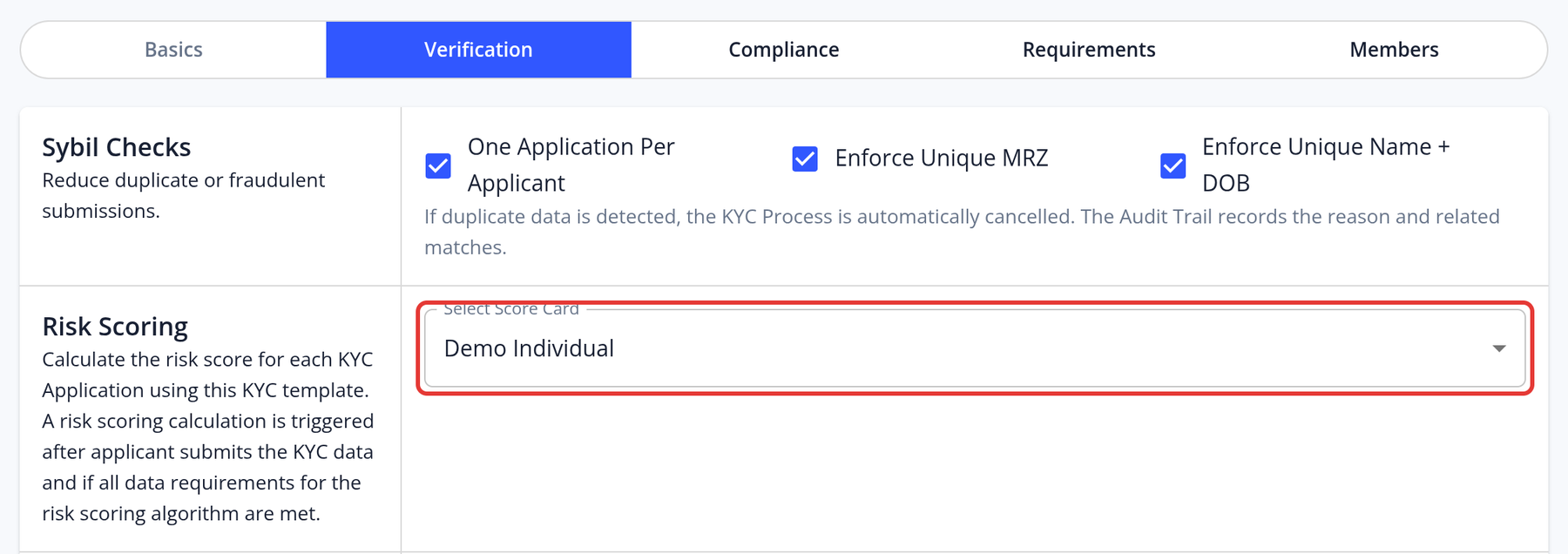
- Does the KYC Template have a score card? Open the template, go to the Verification step, and check that a card is chosen in Select Score Card under Risk Scoring.
- Does the application include all the attributes the score card needs? For example, if the score depends on nationality or age, the template must ask for the applicant's nationality and date of birth. Otherwise the risk score shows "Missing attributes".
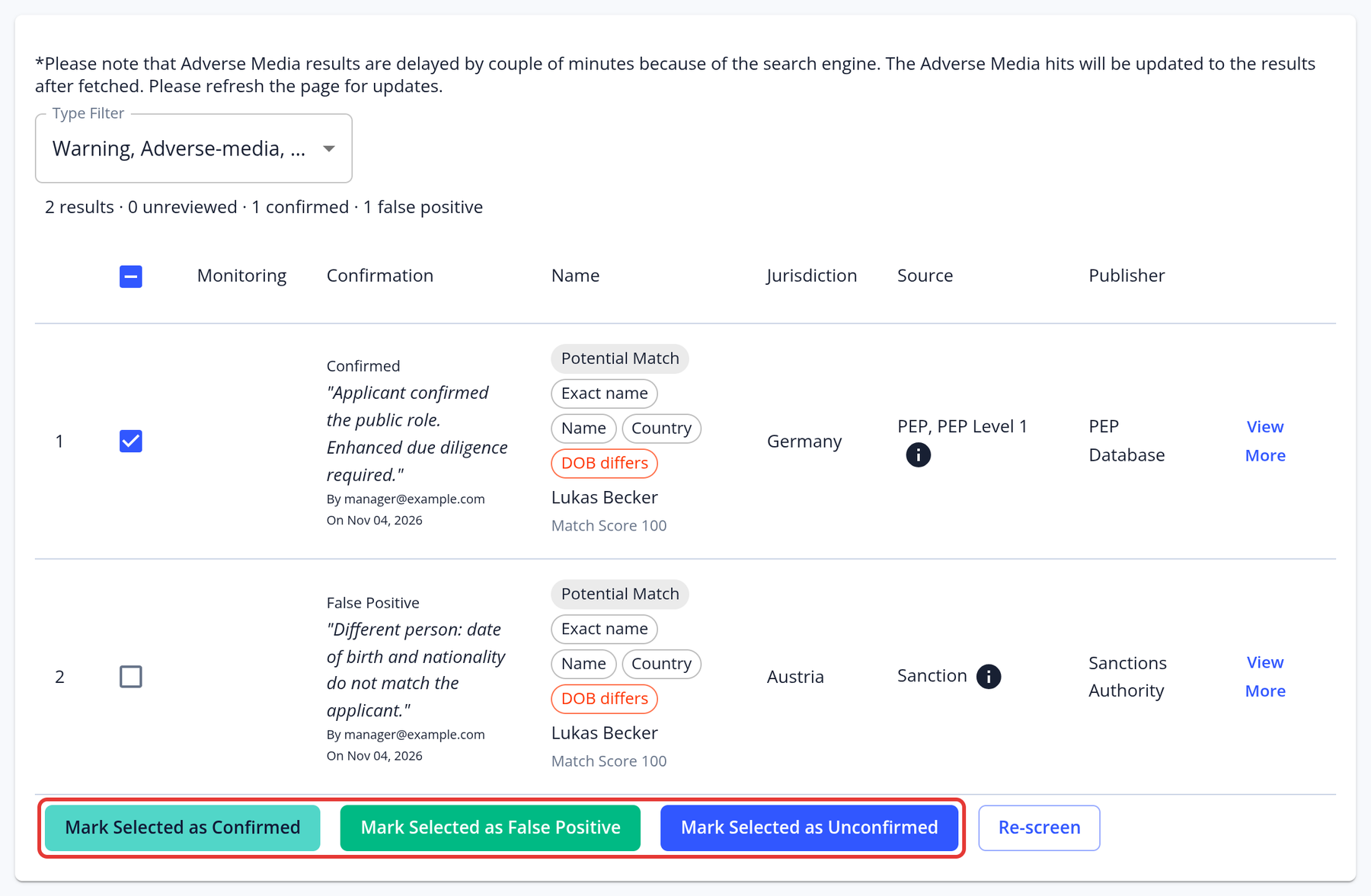
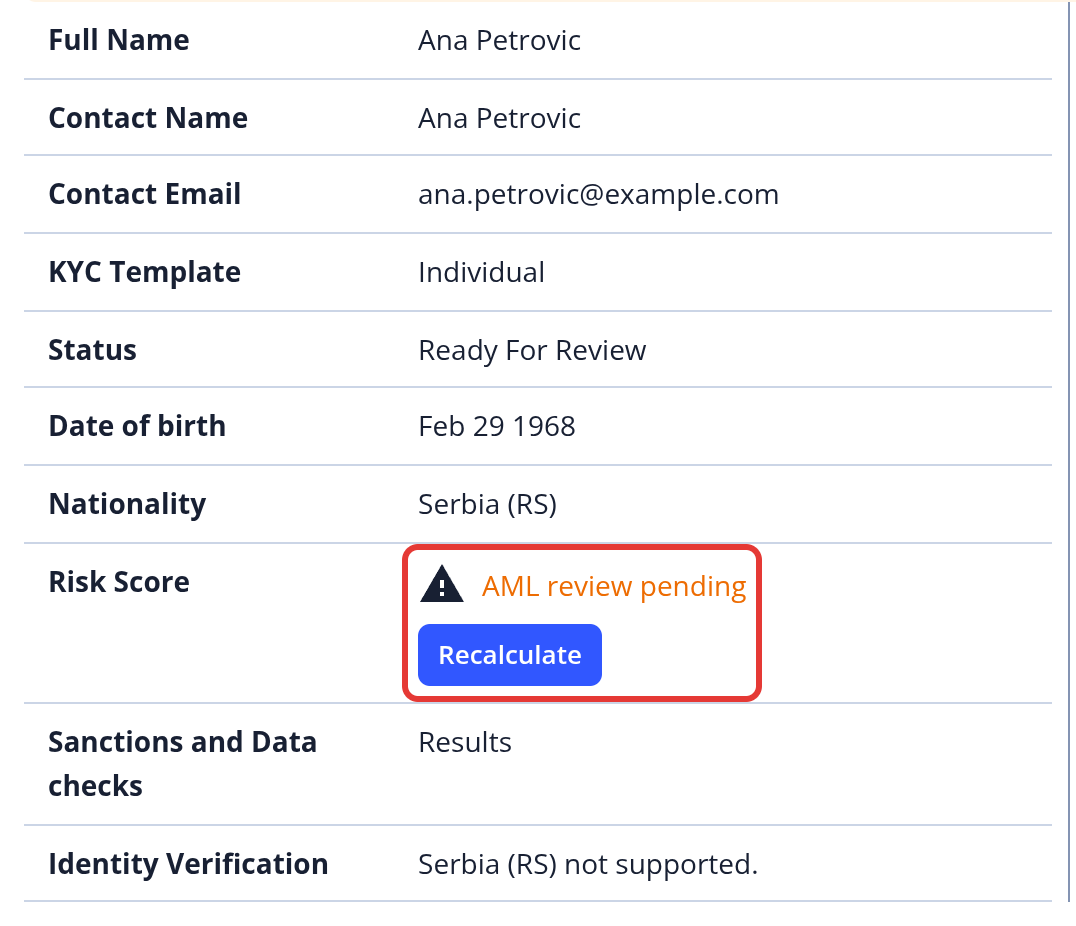
- Have you reviewed the AML results in the External Data tab? Every PEP result must be marked as confirmed or false positive, and for sanctions at least one result must be confirmed or all must be marked as false positives. Until then, the risk score shows "AML review pending".
- Was the application cancelled by the Enforce Unique Name + DOB sybil check? Risk scoring doesn't run for those applications.
You can also click Calculate (or Recalculate) in the Risk Score row of the application's Overview to start the calculation manually.
If the answer to all of the above questions is "yes" and a risk score is still not being calculated, please feel free to contact your KYC-Chain representative.
How does the risk score icon provide information on application issues?
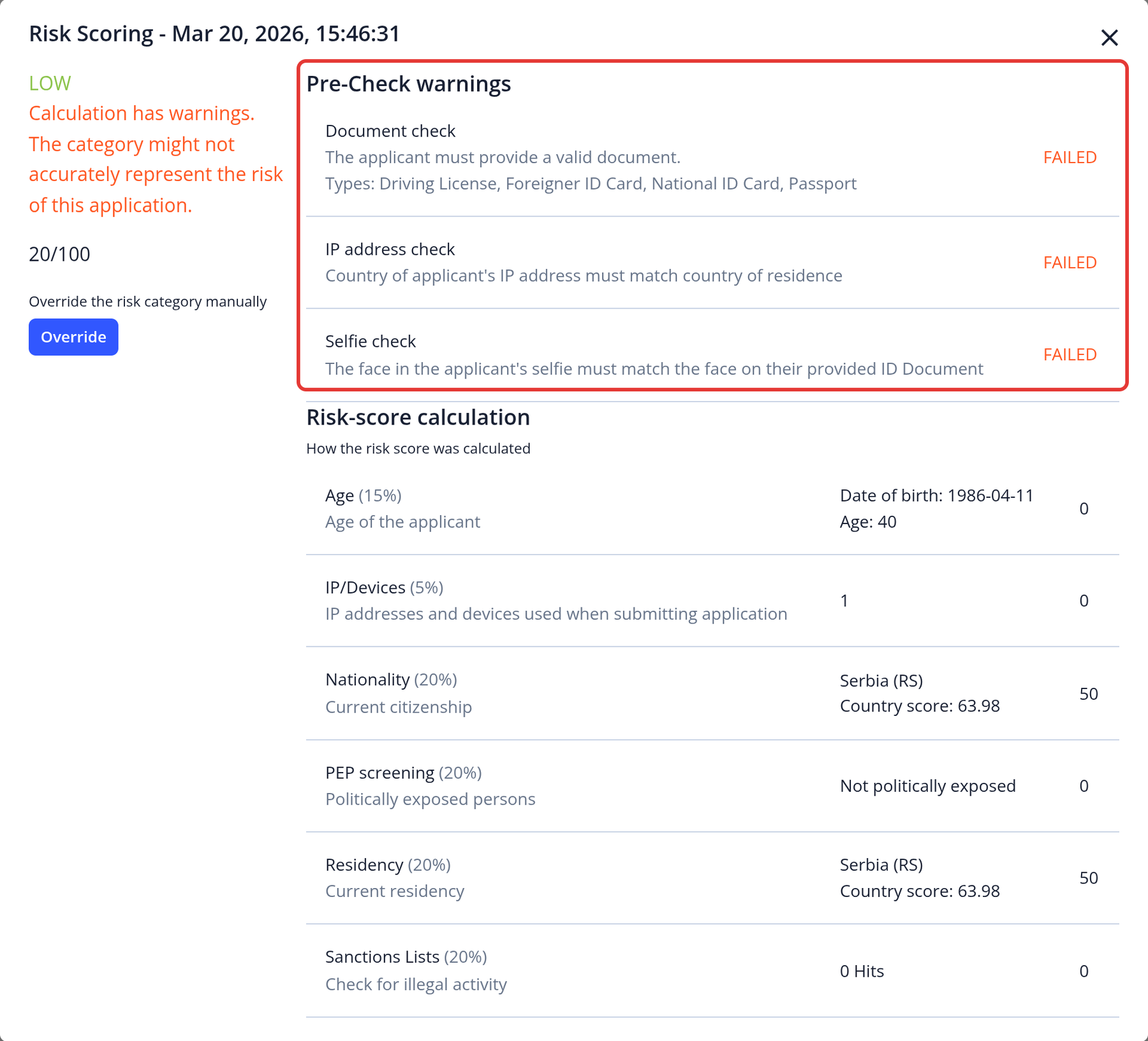
To view detailed information about application issues, click the warning icon ⚠️ for error notifications:
Does exiting or refreshing the page remove an application from the risk score calculation queue?
No. Risk scoring runs on our servers, so closing or refreshing the page has no effect.
-
Draft applications
- Applications that haven't been submitted are saved but are not scored.
-
Submitted applications
- The risk score is calculated about 2 minutes after submission, as long as the KYC template has a score card and the application passed the Enforce Unique Name + DOB sybil check.
- The score is recalculated when the data changes, for example when a manager marks AML results as confirmed or false positive, or clicks Recalculate in the application's Overview.
-
Current data
- Each calculation uses the application's current data and the score card's current settings.
How can I automate the entire process of approving or rejecting applications?
You can automate decisions with the risk score card:
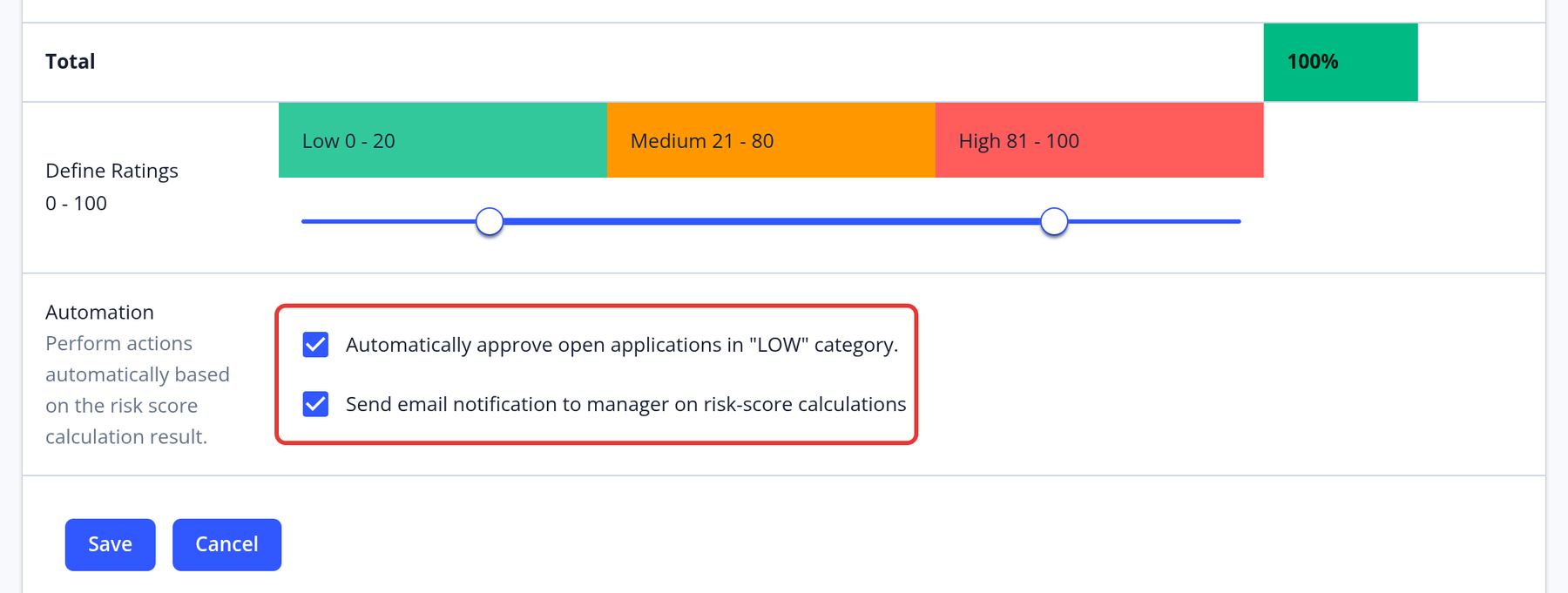
- Approval: enable Automatically approve open applications in "LOW" category. Applications with a Low risk score are approved automatically when all pre-checks passed.
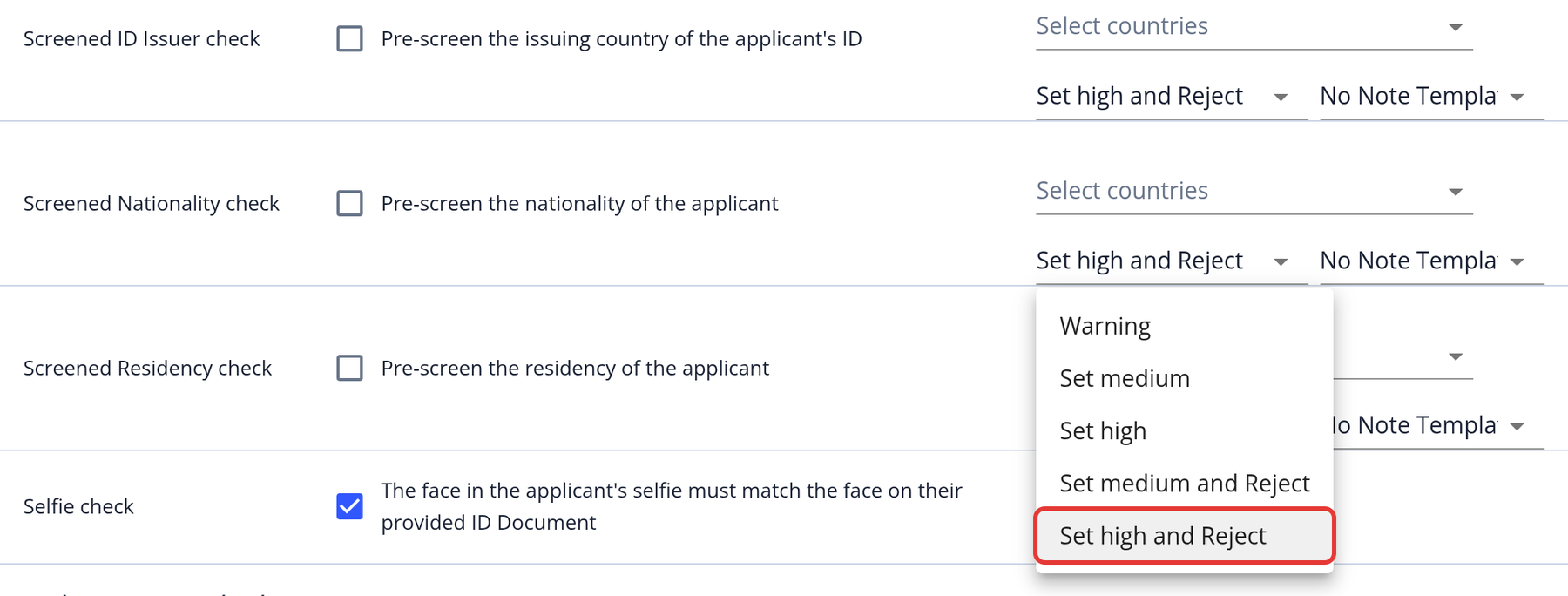
- Rejection: set a pre-check action to Set medium and Reject or Set high and Reject (available for the Screened ID Issuer, Screened Nationality, Screened Residency and Jurisdiction checks). Applications that fail that pre-check are rejected automatically.
Applications with a Medium or High risk score are not rejected automatically; a manager needs to review them.
How can country-specific risk ratings be configured and manually adjusted within the system?
Country risk ratings can't be changed in the app yet. To have them adjusted for your instance, follow these steps:
-
Submit a Request
- Open a support ticket.
- Clearly specify:
- Your project name
- The countries requiring rating adjustments
- The requested risk ratings (including justification, if applicable)
-
Review & Implementation
- Our team will validate the request.
- Upon approval, the ratings will be updated in the system (typically within 1–2 business days).
-
Verification
- You’ll receive a confirmation once the changes are live.
Does the system detect if an applicant is using a VPN?
No, the system can't detect whether a VPN was used.