Settings
In the Settings section, managers can set custom configurations for the KYC-Chain app and more:
Reminders
KYC-Chain can automatically email applicants whose application is waiting for their input, including applicants who were invited but haven't started yet:
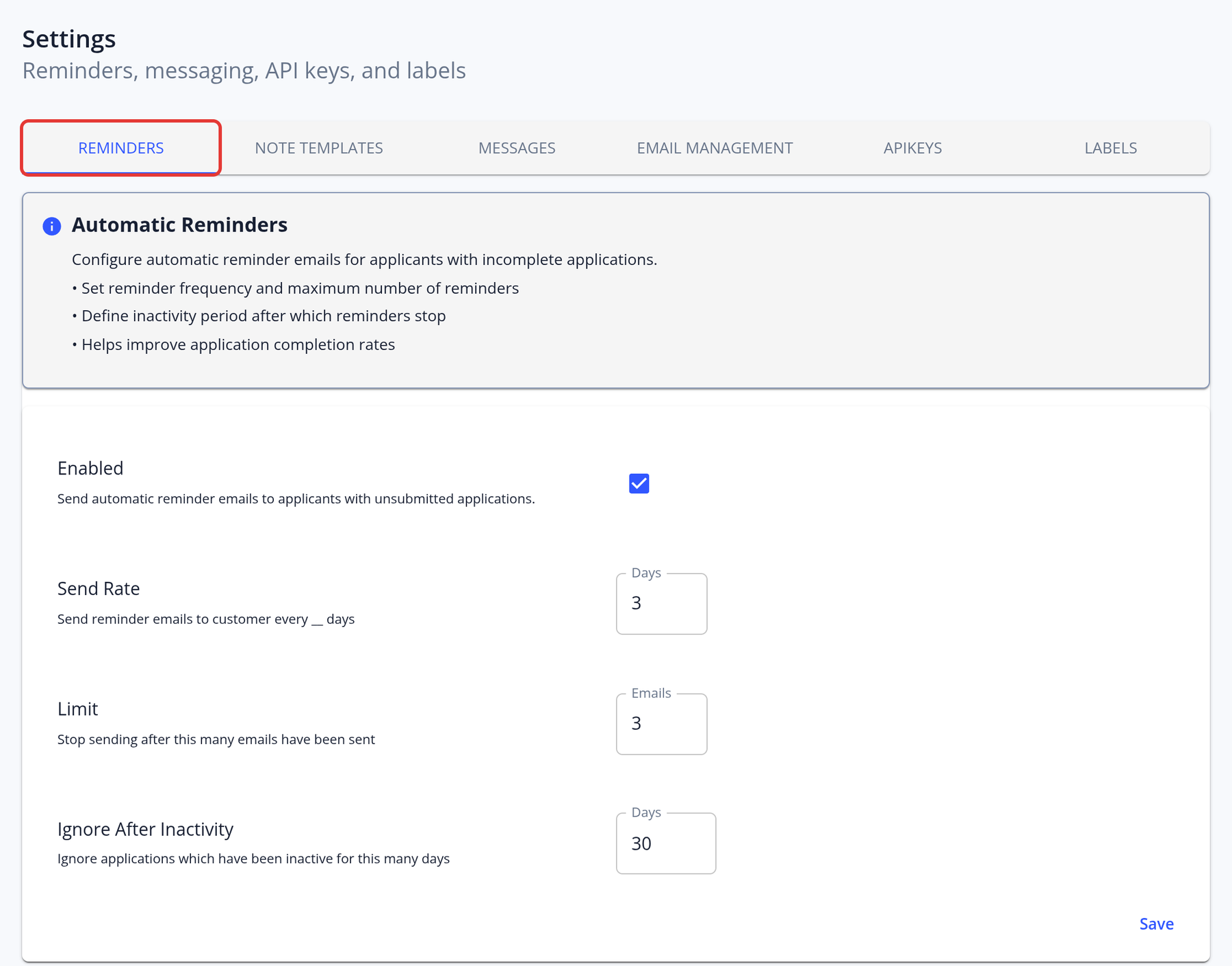
In this section you can set:
- Enabled: Turn reminders on or off.
- Send Rate: The number of days between reminders, from 1 to 365 (default 3).
- Limit: The maximum number of reminders sent for one application, from 1 to 100 (default 3).
- Ignore After Inactivity: Stop sending reminders once an application has been waiting for the applicant for more than this number of days, from 1 to 3650 (default 30). This way, turning the feature on doesn't send emails to applicants of old applications.
Member applications don't receive reminders.
Note Templates
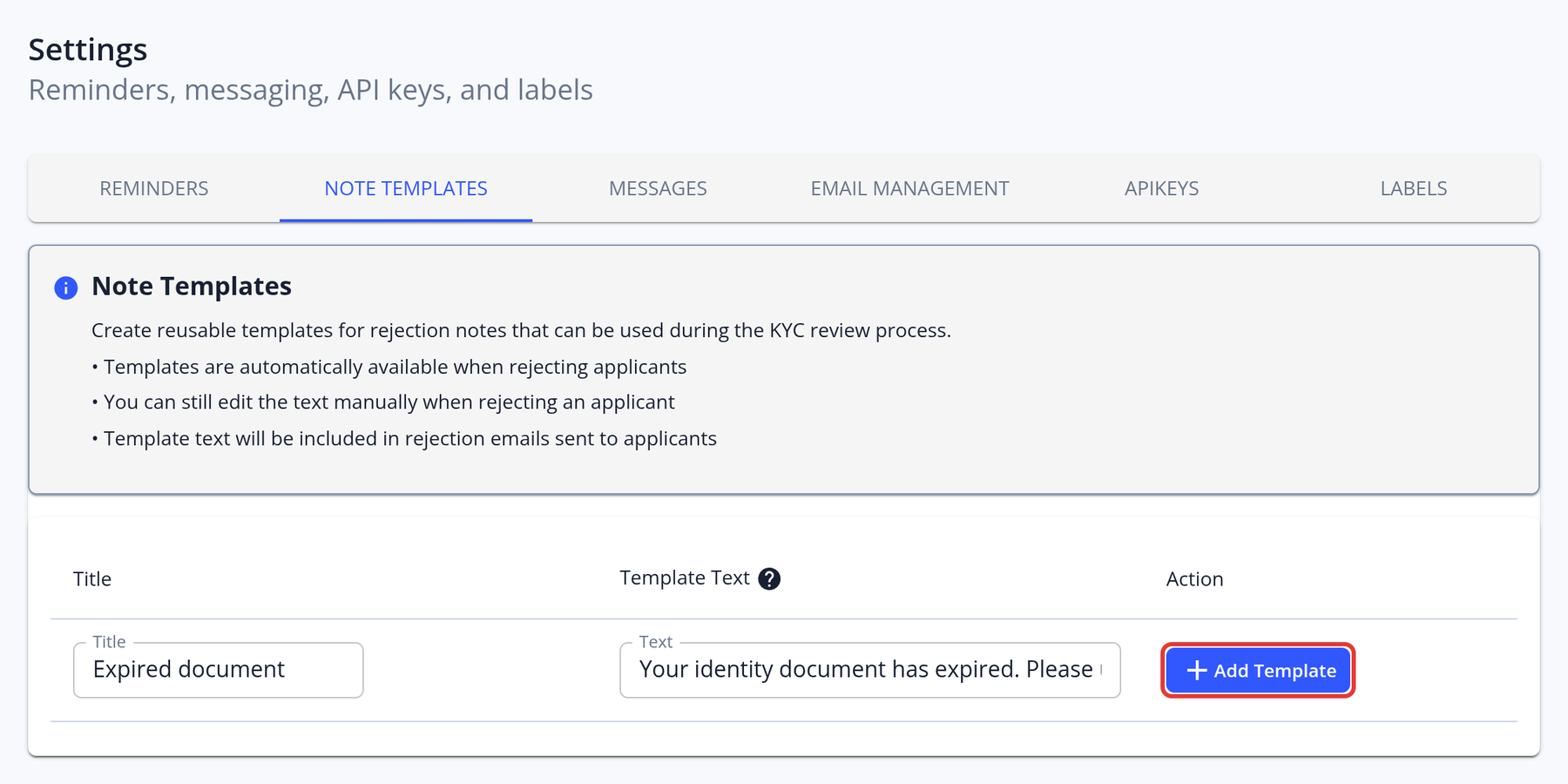
Add frequently used rejection reasons to speed up the compliance workflow. Managers can save frequently used explanations here and then select them when rejecting a KYC application:
Email Management
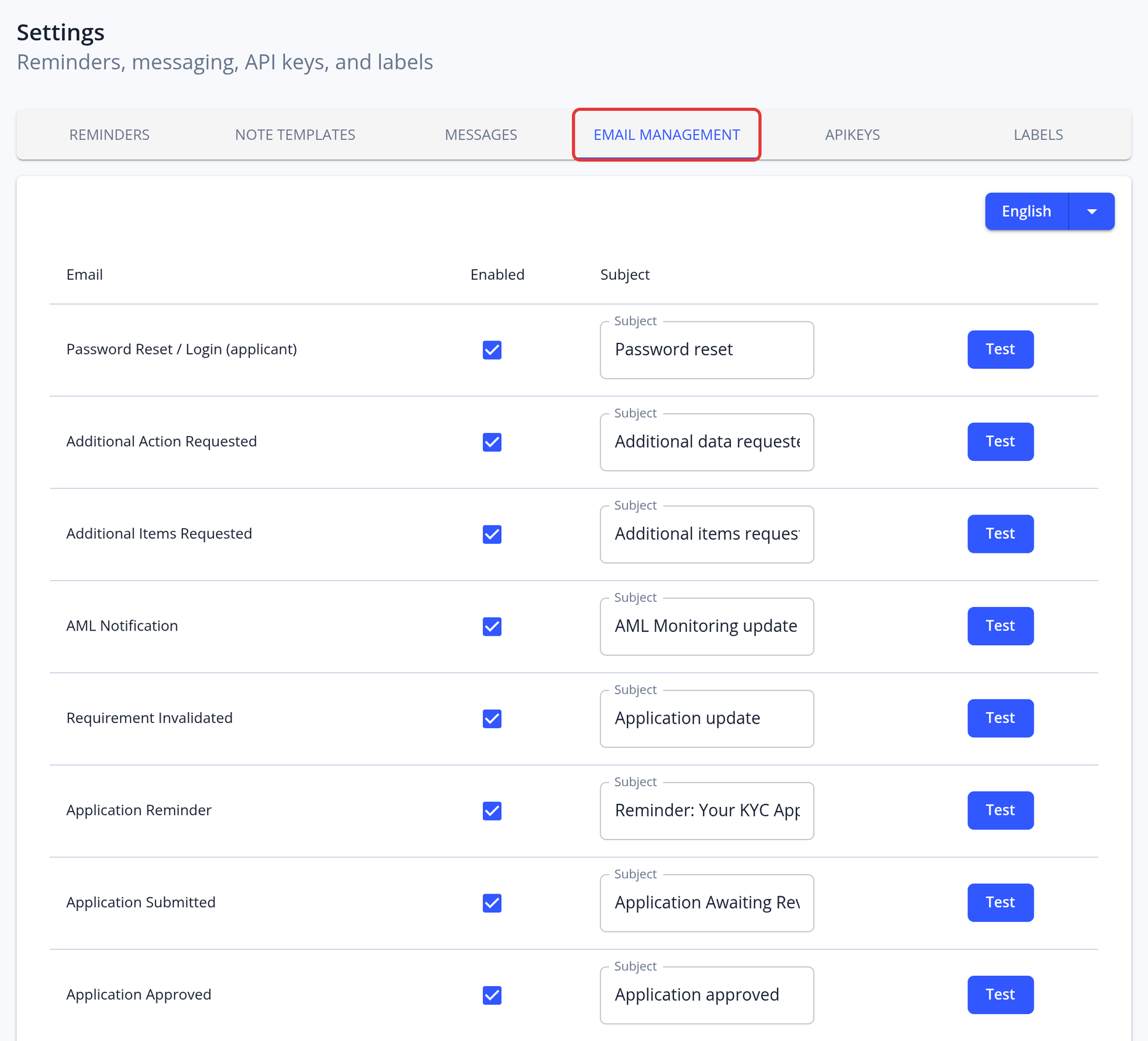
The Email Management section allows you to enable or disable email notifications for applicants and managers, customize the subject line, and send test emails to preview how they look.
Note: To update the actual email content, please contact our technical team.
Labels
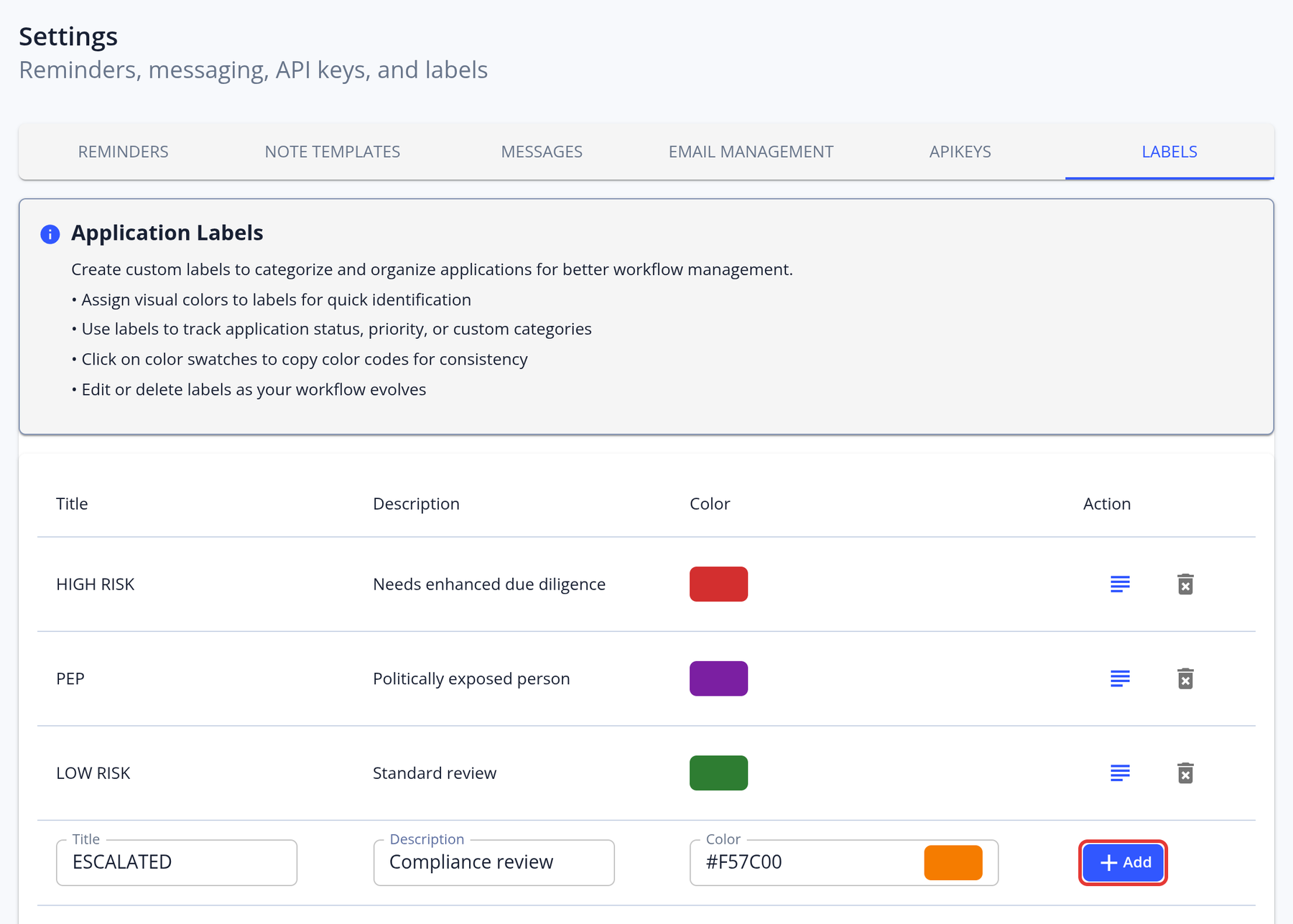
Labels are a powerful tool for categorizing applications within the Management app. For example, you can use labels to mark applications as HIGH RISK or LOW RISK, or for any other purpose—such as adding notes or flagging applications for later review.
When creating a label, you can assign a custom title and choose a color to help visually organize and differentiate your labels. To create and manage labels, simply go to the Settings section.
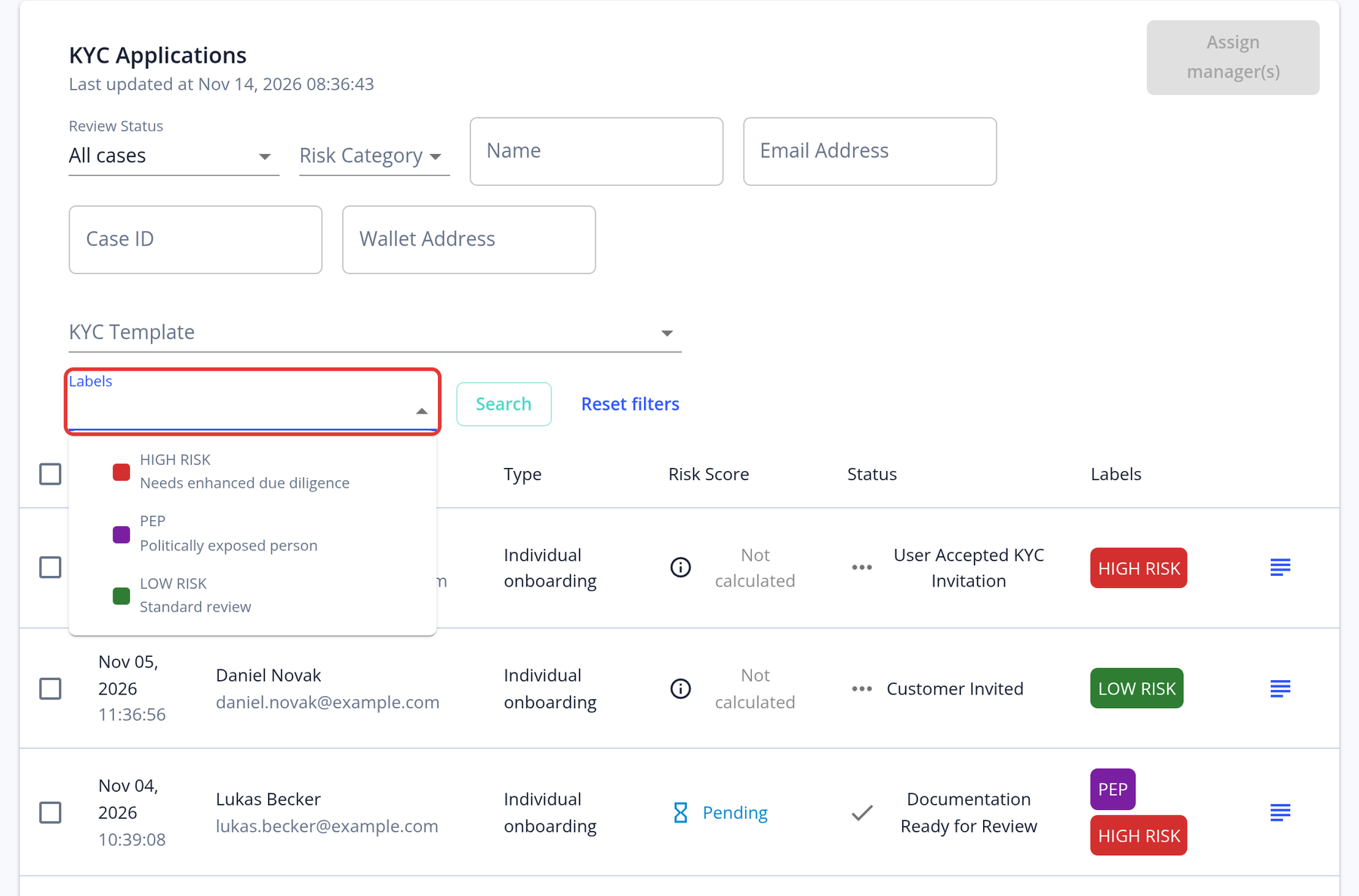
You can also search for applications by their labels, making it easy to organize and quickly locate specific cases. Use the Labels filter above the application list; the labels of each application are shown in the Labels column: