Multiple scopes and multi-approval
Scopes. Each KYC-Chain instance is a scope with its own templates, applications, managers and settings. Some organizations use several scopes, for example one per business unit, organized as a main (root) scope with child scopes.
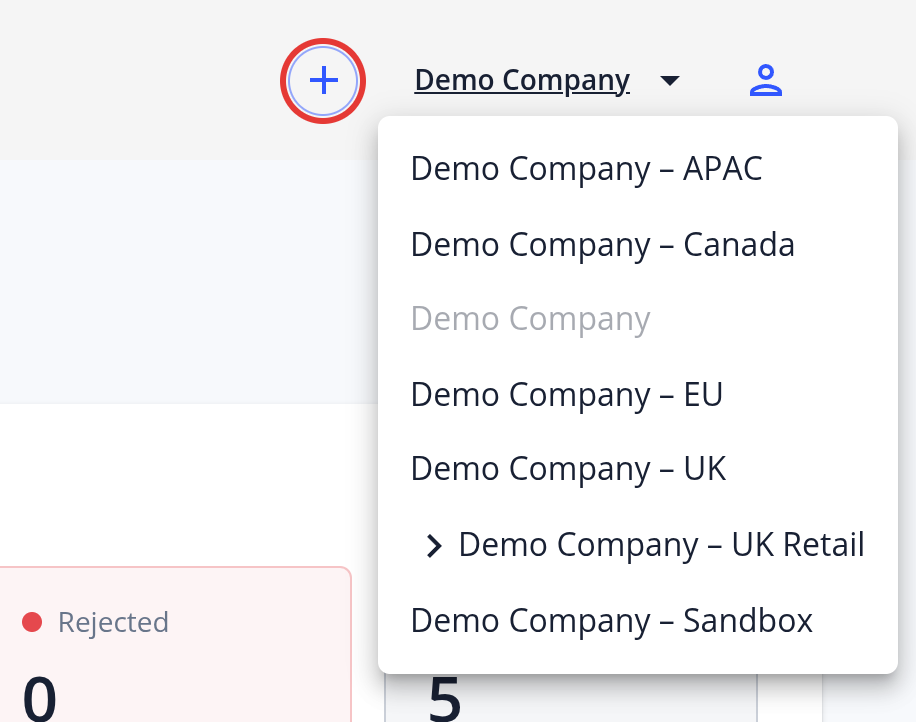
- Switching scope: If you have access to more than one scope, use the scope selector at the top of the page, which shows the current scope's name.
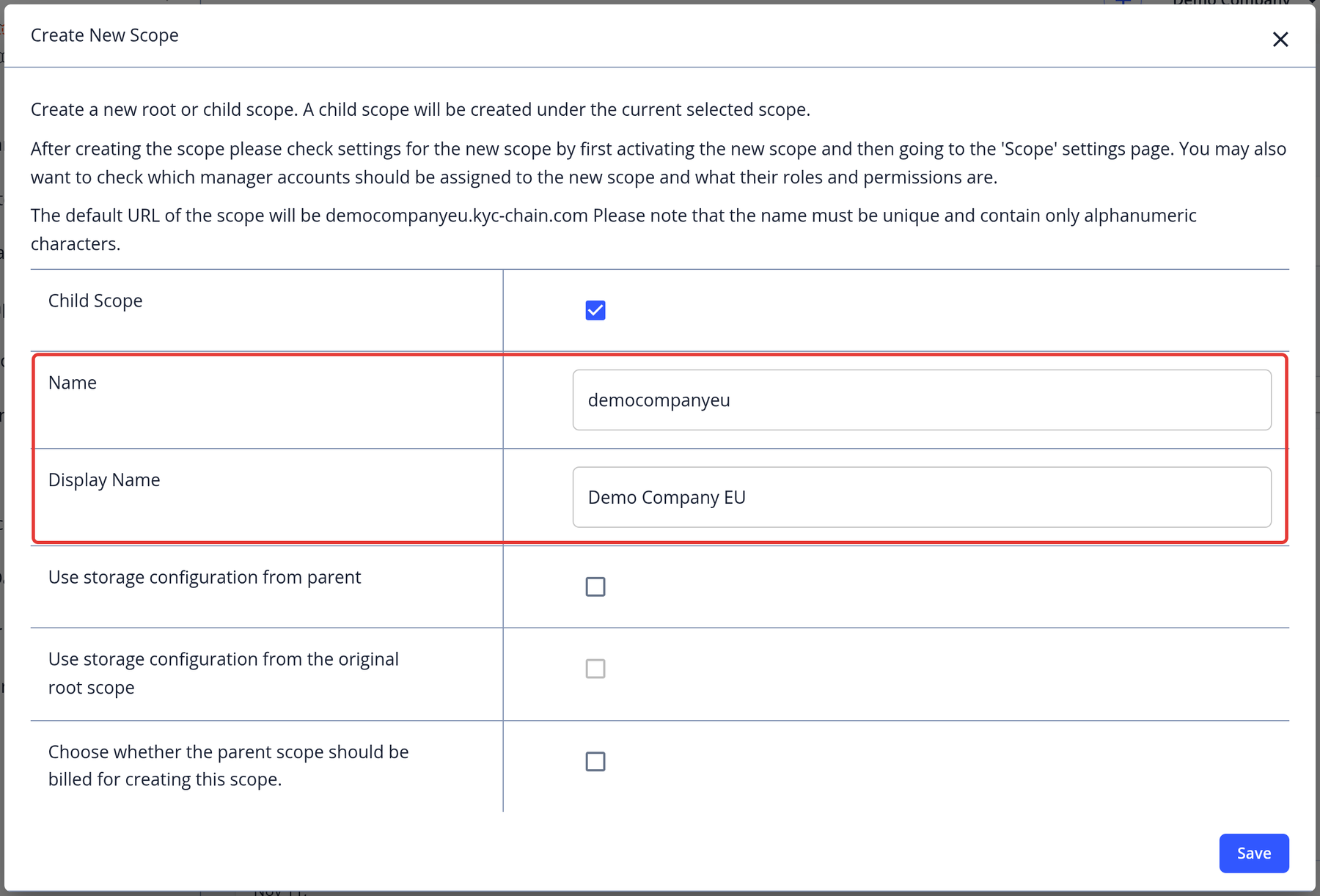
- Creating a child scope: If multiple scopes are enabled for your instance and you have permission to create scopes, click the + button next to the scope selector in the main scope to open Create New Scope. Enter a name and display name and choose the storage configuration. For a child scope, you also choose whether the parent scope is billed for creating it. Close the dialog with X to cancel.
- Managers: In a child scope, use Add existing manager in Manager Permissions to give a manager of the parent scope access.
- Billing: Checks in child scopes are charged to the main scope's balance.
Multi-approval. When multi-approval is enabled, a KYC template can require more than one approval. On the template's Verification step, in Approval Decisions, set the Number of approvals needed. If it is greater than 1, each approval before the final one is recorded as a partial approval, and the application shows as Partially Approved ("Awaiting Additional Approval(s)") until enough managers have approved it. Once you have approved an application, your Approve button is disabled for it.
With child scopes, a template can require approvals in the child scope and then in the parent scope. Applications approved in a child scope that are waiting for the parent scope's decision are listed on the Child Scope Applications page in the parent scope's left menu. Use the Scope filter to show a single child scope.