KYC Refresh
The KYC Refresh feature asks approved applicants to update their KYC at regular intervals based on their risk category, so that customer records stay current.
To set this up:
- Open a KYC template and go to the Compliance step.
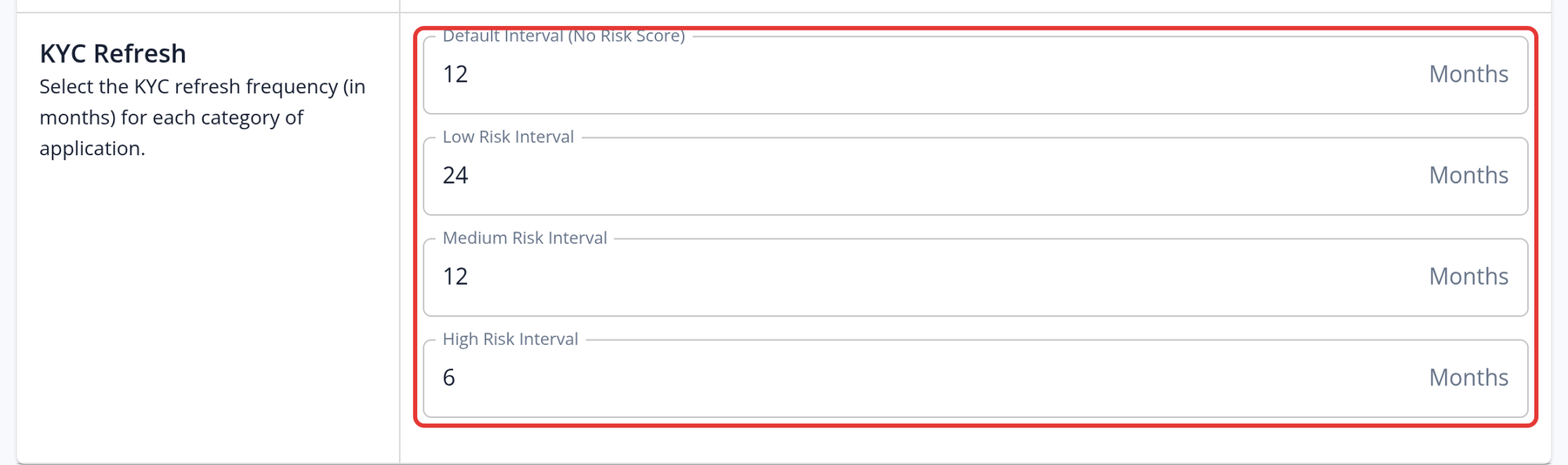
- In KYC Refresh, enter a refresh frequency in months (0 to 24) for the Default Interval (No Risk Score) and for Low, Medium and High risk applications.
- Save the template. The Confirm KYC Refresh Changes dialog shows what will happen, for example "Reopen N existing applications", and asks you to confirm.
How it works:
- The interval is counted from the date the application was last approved.
- When a refresh is due, the application is re-opened with the status Process Re-Opened for KYC Refresh, and the applicant receives a "KYC Refresh requested" email.
- Changes apply to existing applications that use the template. Saving can reopen applications straight away if they are already due under the new settings; the confirmation dialog shows how many.
- You can also start a refresh for a single application with the Request KYC Refresh button on the application page.