API and webhooks
API documentation
The API documentation describes every endpoint, with its parameters and responses: https://apidocs.kyc-chain.com/
You need login credentials to open it. Open a support ticket to get them.
How can I create an API key?
- Go to Settings in the left menu.
- Open the Apikeys tab.
- Click Create new.
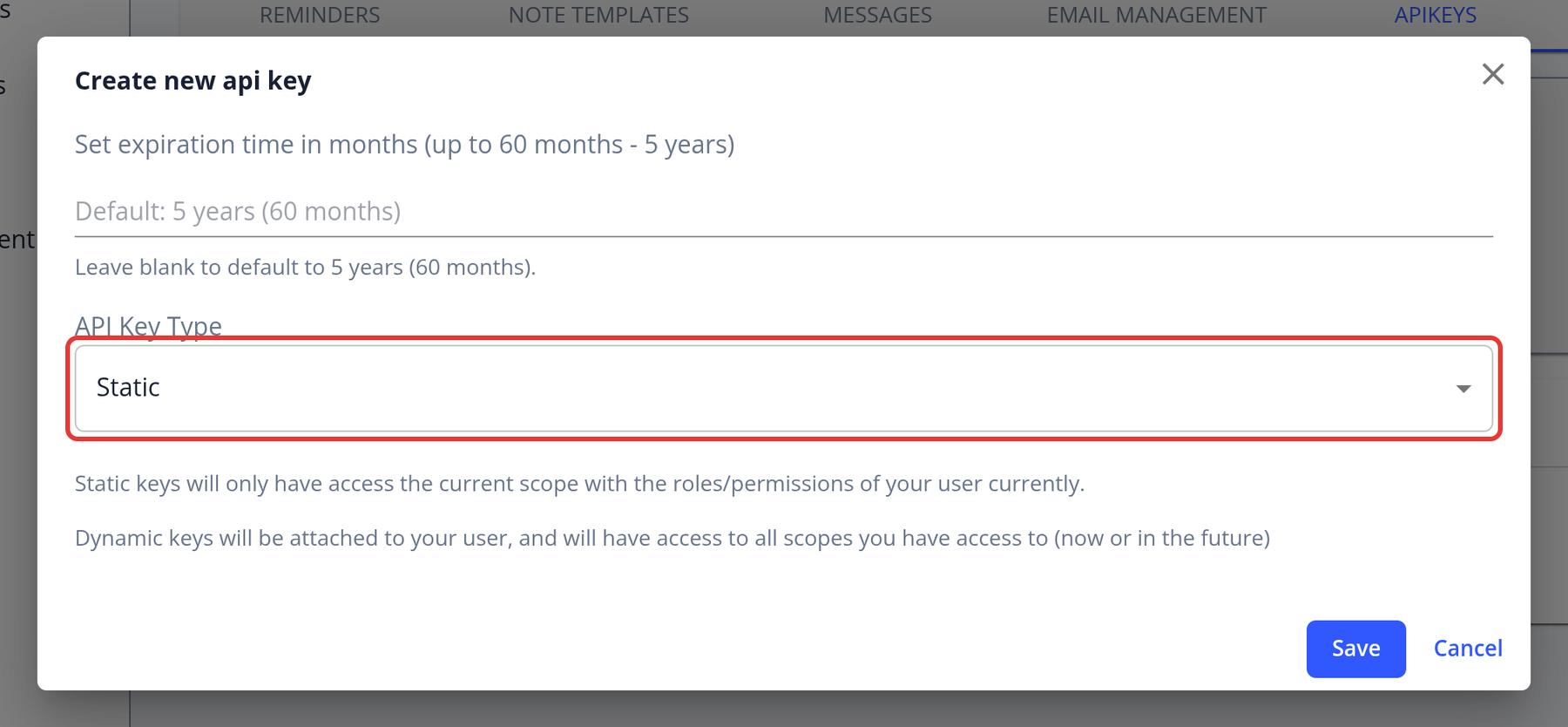
- Choose when the key expires (1 to 60 months; the default is 60) and the API Key Type:
- Static: works only for the current scope, with your current roles.
- Dynamic: works for all the scopes you have access to, now and in the future.
- Click Save.
- Copy the key with Copy key and store it somewhere safe. It is only shown once.
The table lists your keys with a snippet of each key, its creation date, its creator and its expiry date. Click Revoke to disable a key. API keys and webhooks are not included in the Basic and Pro plans.
How do I authenticate API requests with an API key?
Send your API key in the apikey header of every request:
apikey: your_api_key
API endpoints are under /integrations/v3/scope/YOUR_SCOPE_ID/ on your instance's API host. You can find the host in Scope → Instance URLs → API Endpoint URL (shown if your role can view API keys), or ask support. For example:
curl -X GET 'https://YOUR_API_HOST/integrations/v3/scope/YOUR_SCOPE_ID/applications' \
  -H 'apikey: your_api_key'
See the API documentation for all endpoints.
Security tips:
- Keep your API key confidential and never expose it in client-side code.
- If you think a key has been compromised, revoke it in Settings → Apikeys and create a new one.
- Always use HTTPS.
Why am I receiving a 401 error when making API requests?
A 401 error ("Unauthorized") means the API key could not be authenticated:
- Missing header: the request doesn't include the
apikeyheader. AnAuthorization: Bearerheader is not used for API keys. - Invalid key: the key is mistyped, or it was revoked or has expired.
Related errors:
- 403 Forbidden: the key is valid but can't be used for this request. For example, the key belongs to another scope, the manager who created it was deleted or has no roles in this scope, or the scope requires two-factor authentication.
- 422: the scope is not active, for example because it is View Only or disabled.
What you can do:
- Check that you send the
apikeyheader with the full key. - In Settings → Apikeys, check that the key hasn't expired or been revoked.
- Check that you use the right scope ID and host (sandbox or production).
If the issue persists, create a new key. If you still get errors, open a support ticket with the environment, the endpoint you called and the last 4 characters of your key.
Are there alternative methods for receiving data or notifications, such as webhooks?
Yes. KYC-Chain can send webhook notifications whenever an application's status changes, so you don't need to keep polling the API.
Status Notifications via Webhooks
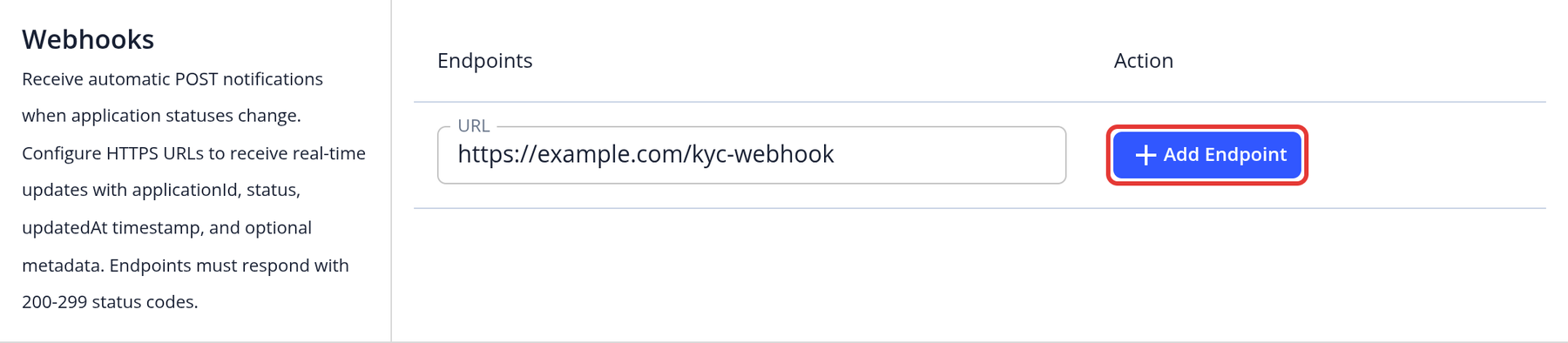
To set up webhooks, go to Scope in the left menu, find the Webhooks section, enter your endpoint URL and click Add Endpoint. You can add several endpoints, change their URLs or delete them. You need permission to edit the basic scope settings, and the API Keys feature must be enabled for your instance.
Whenever the status of an application changes, the system sends a POST request to each endpoint. The payload includes:
{
  "applicationId": "507f1f77bcf86cd799439011",
  "status": 4,
  "updatedAt": "2019-03-27T11:45:30.060Z"
}
applicationId: The ID of the application that changed statusstatus: The new status code, for example 2 = approved, 3 = rejected, 4 = submitted (Documentation Ready for Review), 8 = cancelled, 9 = additional items requestedupdatedAt: Timestamp when the status change occurred (not when the webhook was sent)metadata: Included when the application has metadata
If a delivery fails, the system retries it up to 5 times, about 30 seconds apart. Delivery is still not guaranteed, so we recommend also checking application statuses through the API for important events.
Webhook requests can also be signed with an RSA-SHA256 signature header that you verify with your public key. Contact support to set up signing, or to send only certain statuses to an endpoint.
More Information
To create API keys, see How can I create an API key? For webhook signing, live instances or other technical setup, please contact the KYC-Chain team.
What endpoint URL does the system use for sending callbacks?
KYC-Chain doesn't use a default endpoint. Status notifications are sent to the webhook endpoints you add under Scope → Webhooks. See Are there alternative methods for receiving data or notifications, such as webhooks?
How do I generate PDF reports using the API?
The API documentation describes the endpoints and parameters for generating and retrieving PDF reports.
How can I get assistance or verification when testing API functionalities?
If you need support while testing API functionalities, our team is here to help. You can:
-
Contact Support: Reach out to our support team with details of your test case, the endpoint used, and any relevant request/response data. This will help us quickly assist or verify the expected behavior.
-
Use the API Documentation: Our API documentation provides detailed guidance on how to structure requests, expected responses, and common troubleshooting tips.
-
Request Test Data or Sandbox Access: If needed, we can provide sample data or a sandbox environment for safer testing.
Feel free to contact us at any time during your testing—we’ll be happy to assist and confirm that everything is working as expected.
How can data be retrieved from the cloud storage?
Data can be retrieved using our API, for more information please consult our API documentation or open a support ticket for assistance.